Create Healthlake

info
- Follow the steps mentioned below.
- Total time taken for this task: 50 Minutes.
- Pre-requisites: Setup Amorphic and login.
Tidbits
- Add your ⚠️userid⚠️ as a suffix to all the resources that you create.
- This will avoid contention with other users as Amorphic maintains a global metadata catalog. 💡
- This is mandatory as multiple users are following these workshop instructions.
Create Healthlake
- Click on
HCLS-->Healthlakeon the left side navigation-bar.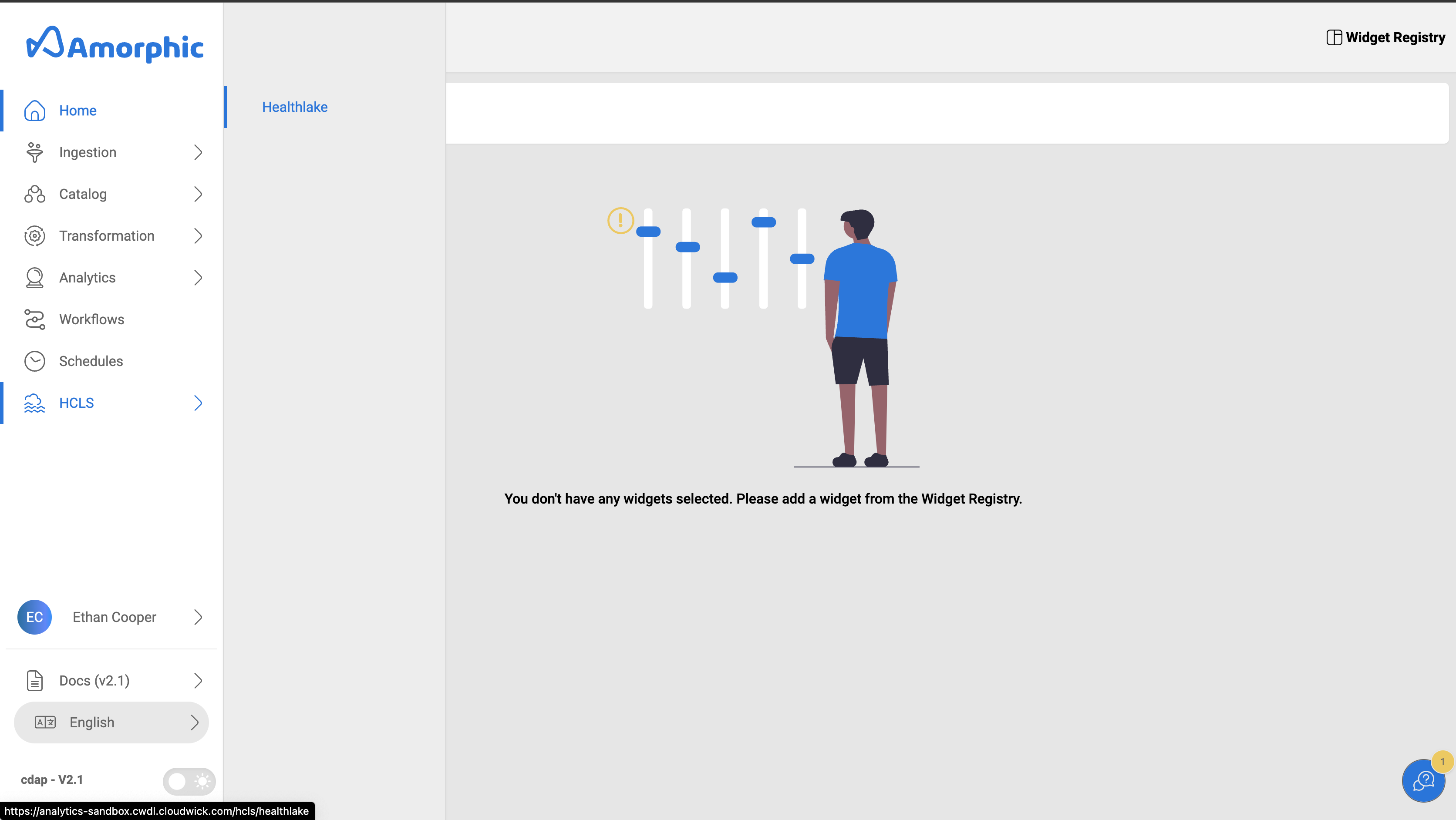
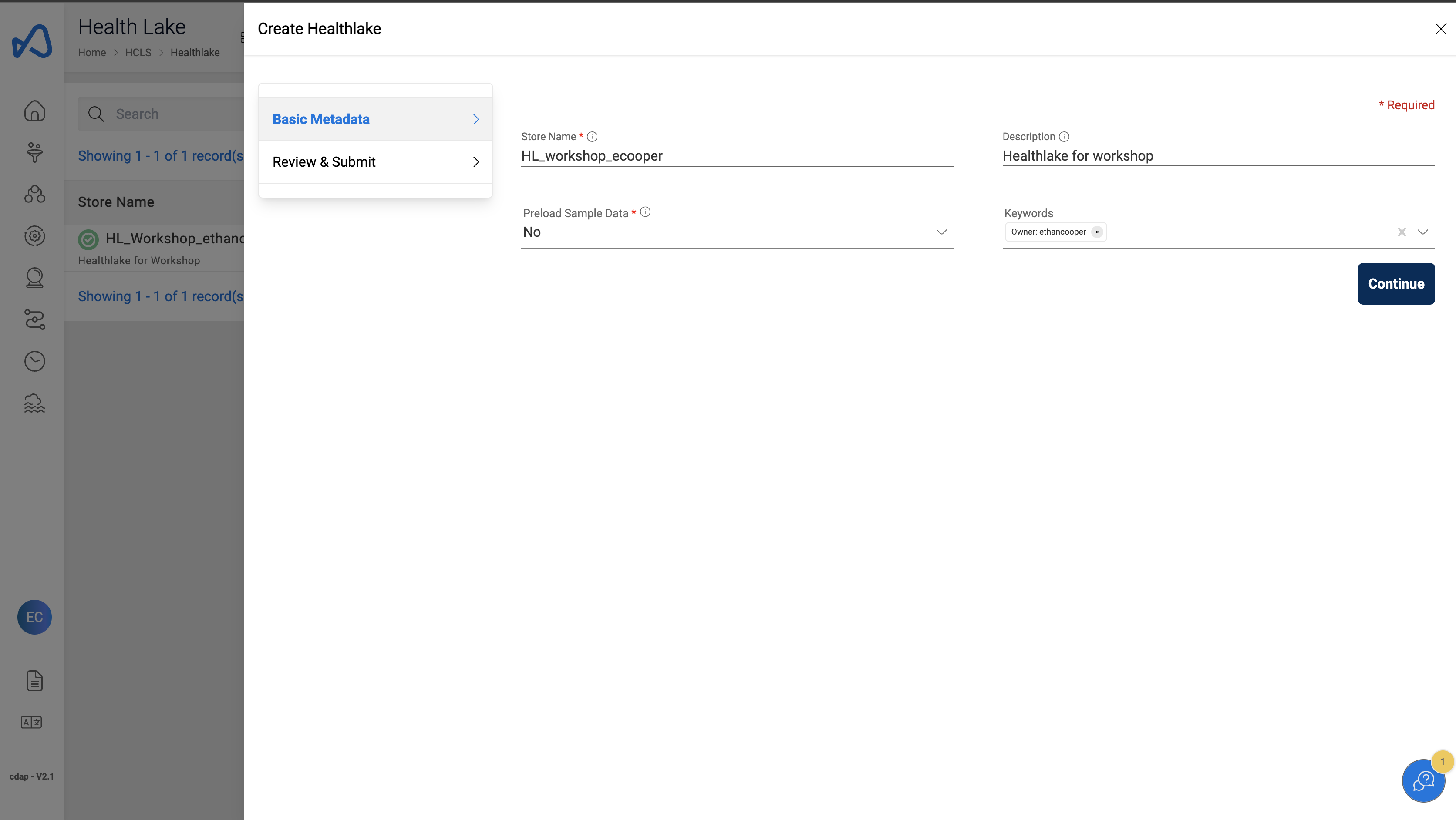
- Click on a
➕ New Healthlakebutton at the top right corner. - Enter the following details and click on
Continue
  "Store Name" : "HL_workshop_<user_id>"
  "Description" : "Healthlake for workshop"
  "Preload Sample Data" : "No"
Review & Submit
- Review the Healthlake details. Click on
Create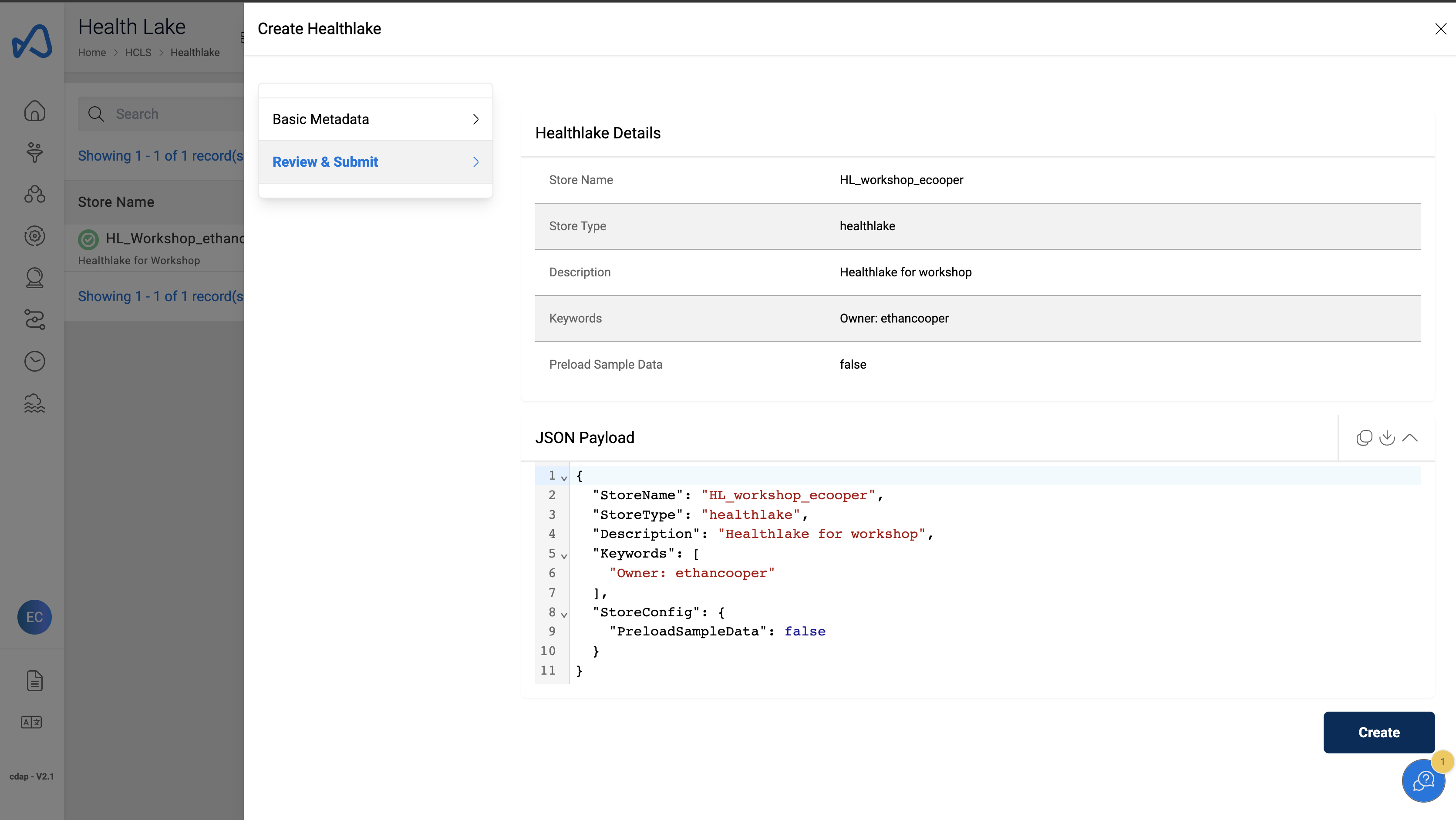
Note
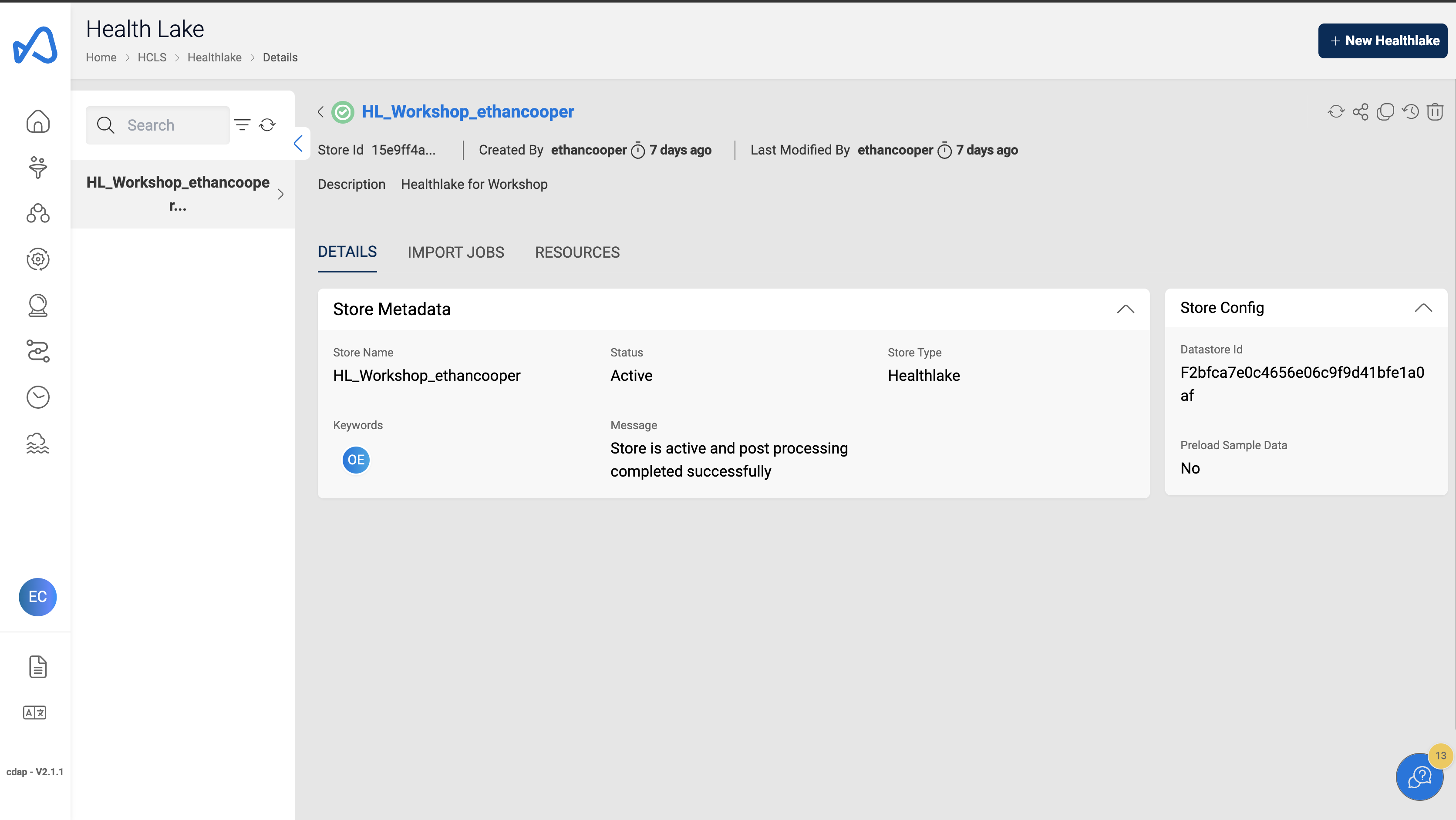
Initial Healthlake creation will take upto 45 minutes. Contact us to get access for a precreated Healthlake.
Sample Healthlake
Congratulations!!!
You have learned how to create Healthlake in Amorphic. Now, proceed to Data Import task.