View Dashboard
title: View Dashboard

info
- Follow the steps mentioned below.
- Total time taken for this task: 5Minutes.
- Pre-requisites: Connect Quicksight Dashboard to Amorphic
- To use the dashboard template, go to home -> Dashboards. If you are using Amorphic version 1.9 and above, Click on NARRATIVES --> Dashbaords from the left navigation-bar.
- Search for the desired template either by 'Dashboard Name' or 'Dashboard Type'.
This is the default page when the Amorphic Dashboard tab opens.
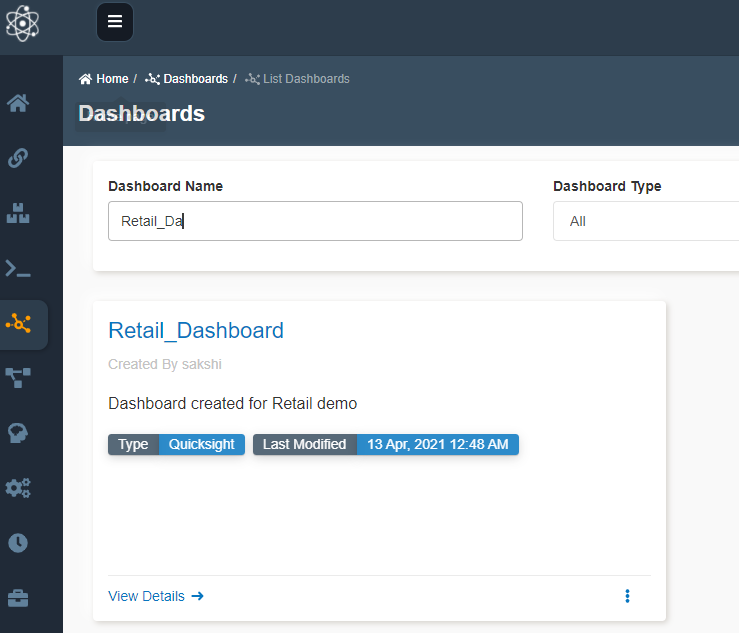
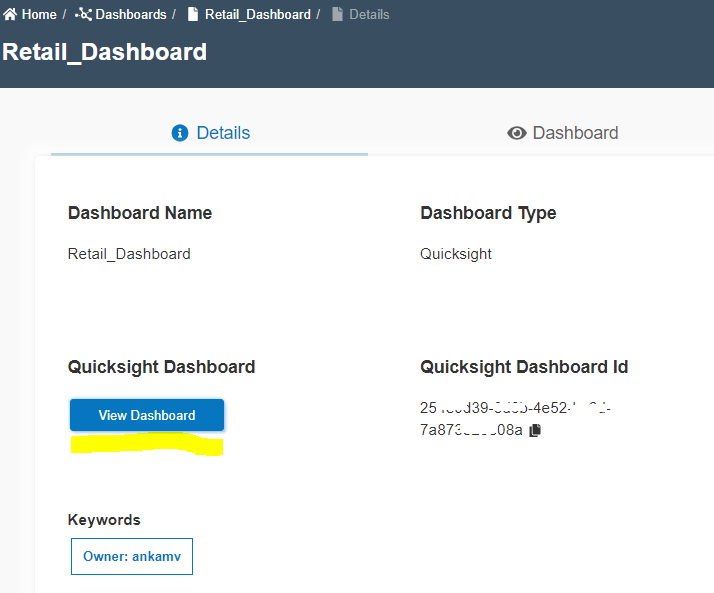
- Click View Details --> to view the dashboard Template. All the details related to the dashboard can be viewed.
- To view the dashboard click View Dashboard as shown below or go to dashboard tab directly.
- Dashboard looks like this.
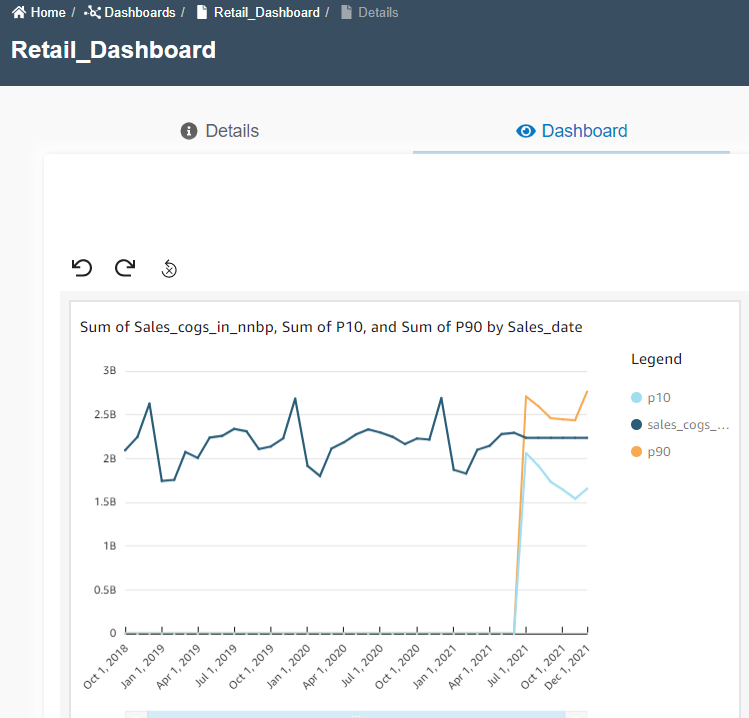
- Hover on the dashboard to check values.
Congratulations!!! 🎉
You've successfully completed all tasks of the retail use-case.