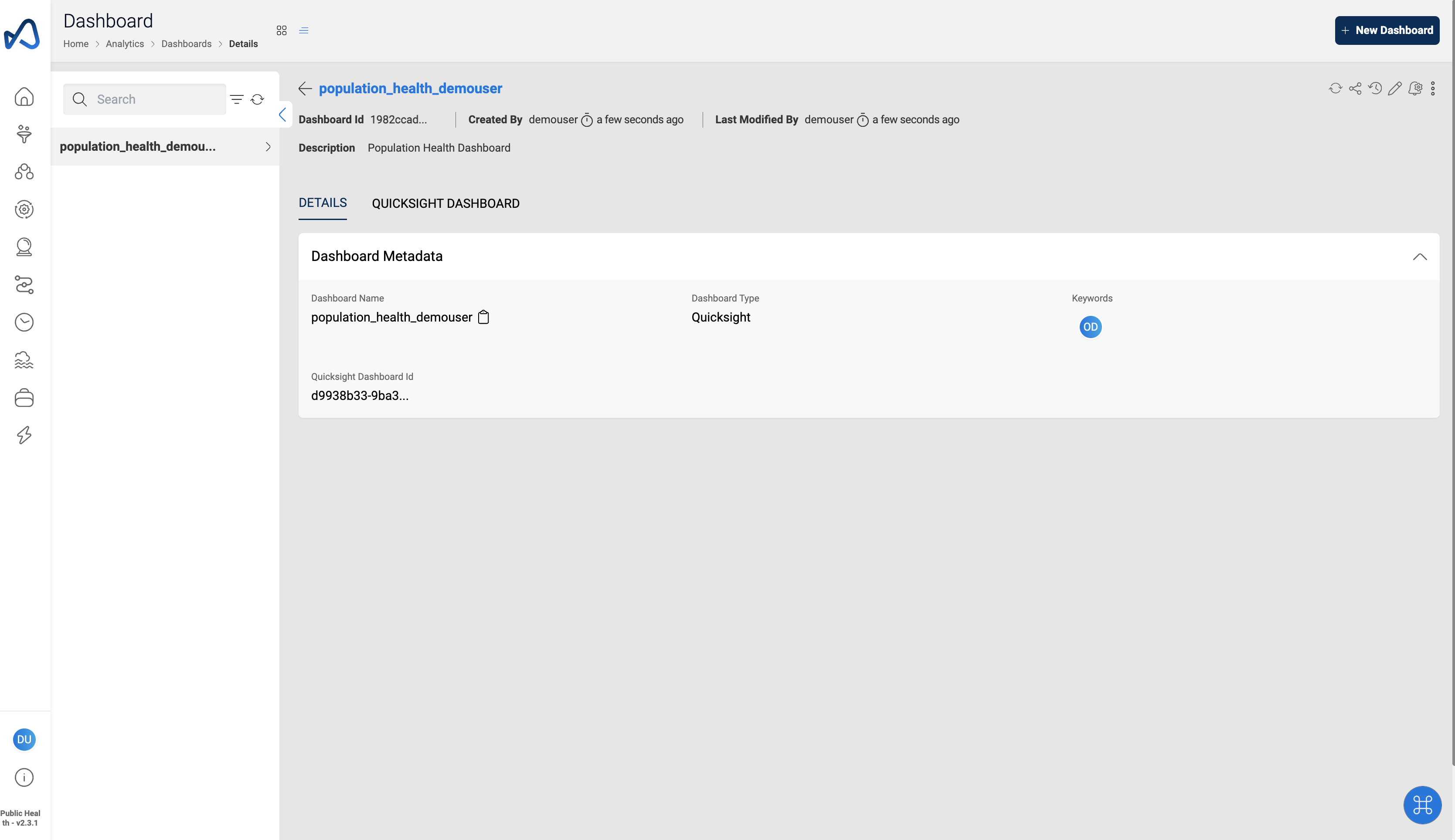
Connect Quicksight Dashboard to Amorphic

info
- Follow the steps mentioned below to connect Quicksight Dashboard in Amorphic
- Total time taken for this task: 2-3 Minutes.
- Demo Quicksight Dashboard Id: d9938b33-9ba3-49f6-b12d-e79c84cc671a
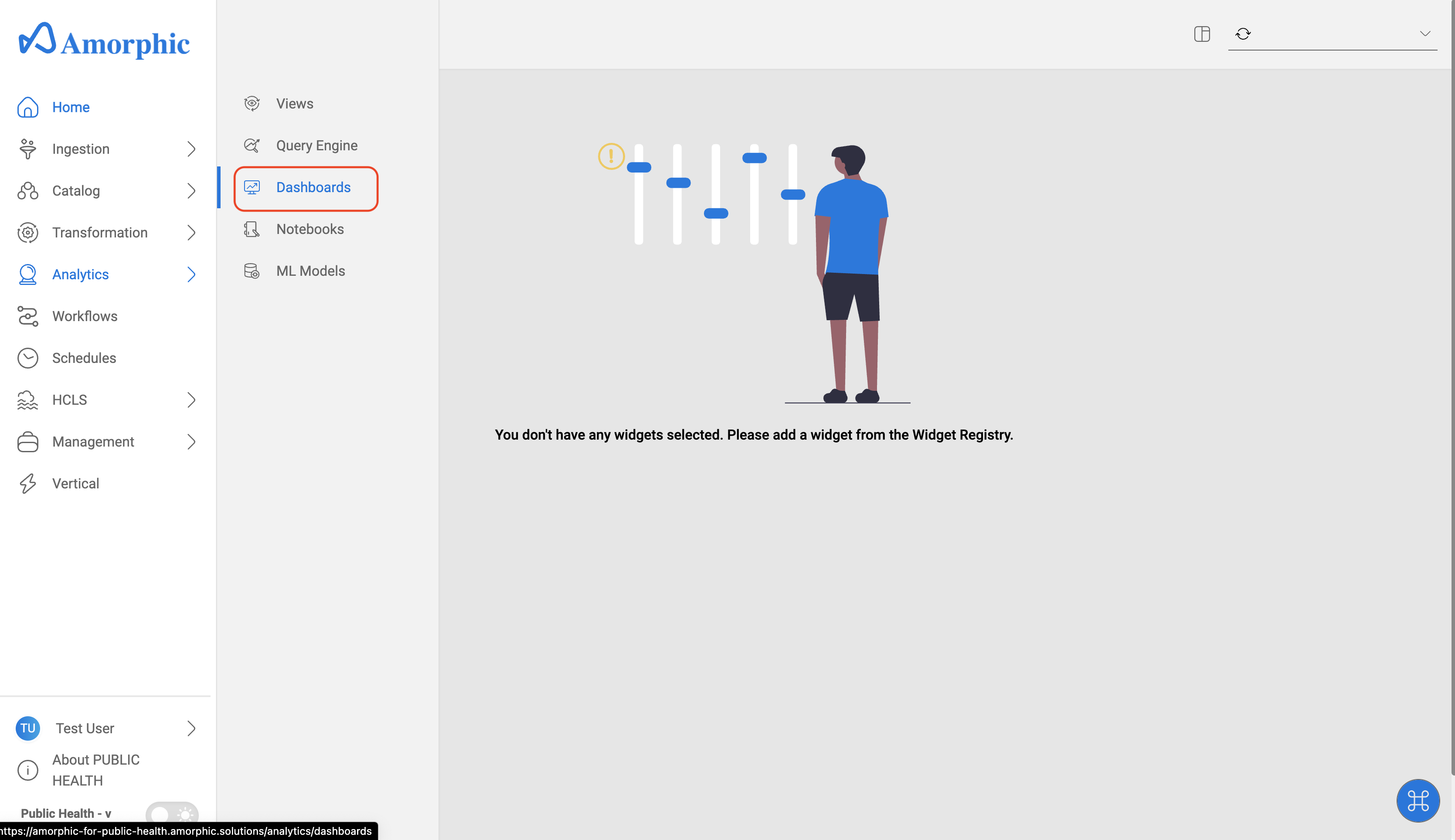
- Click on
Analytics-->Dashbaordson the left side navigation-bar.
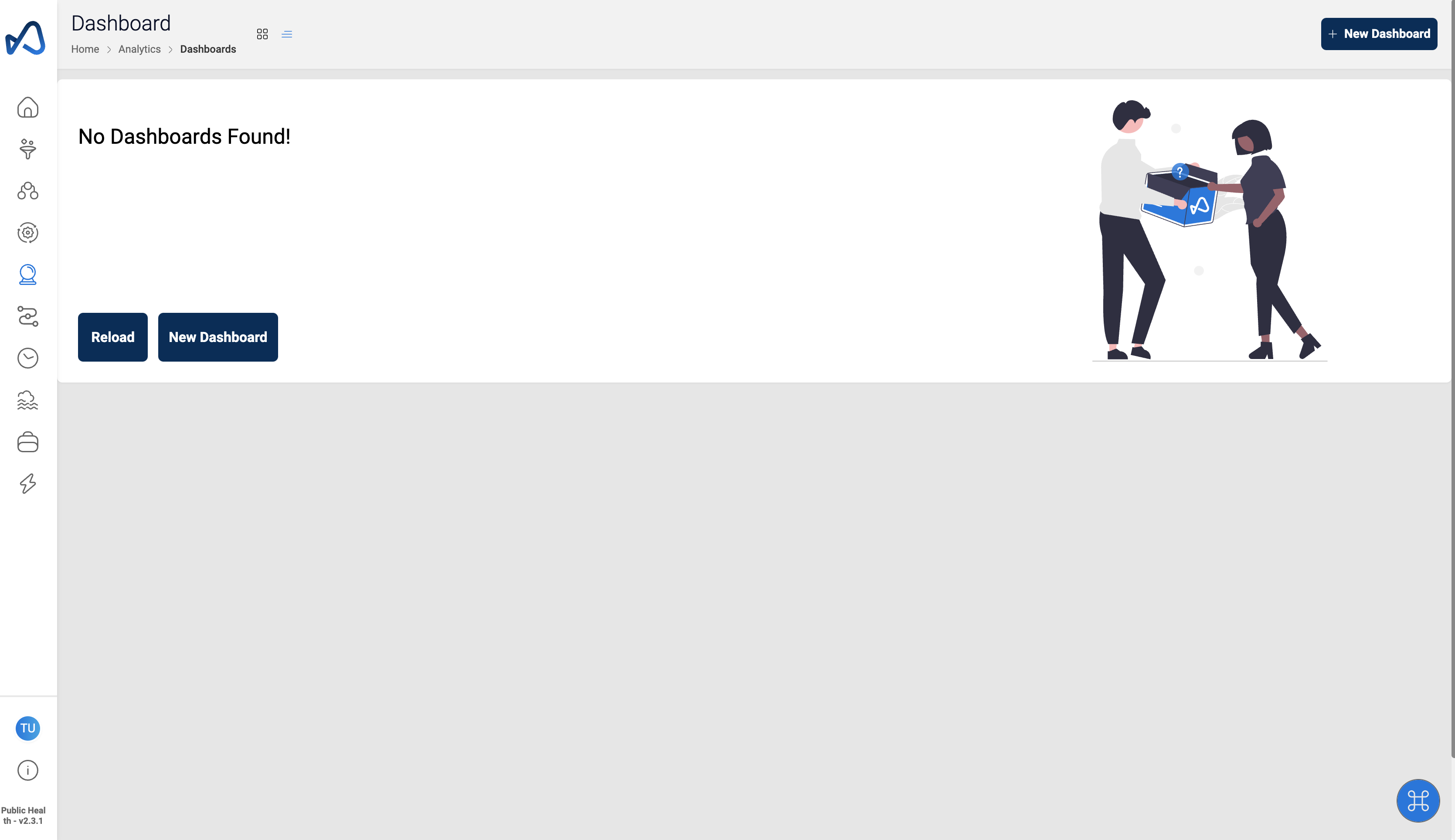
- Click
New Dashboard
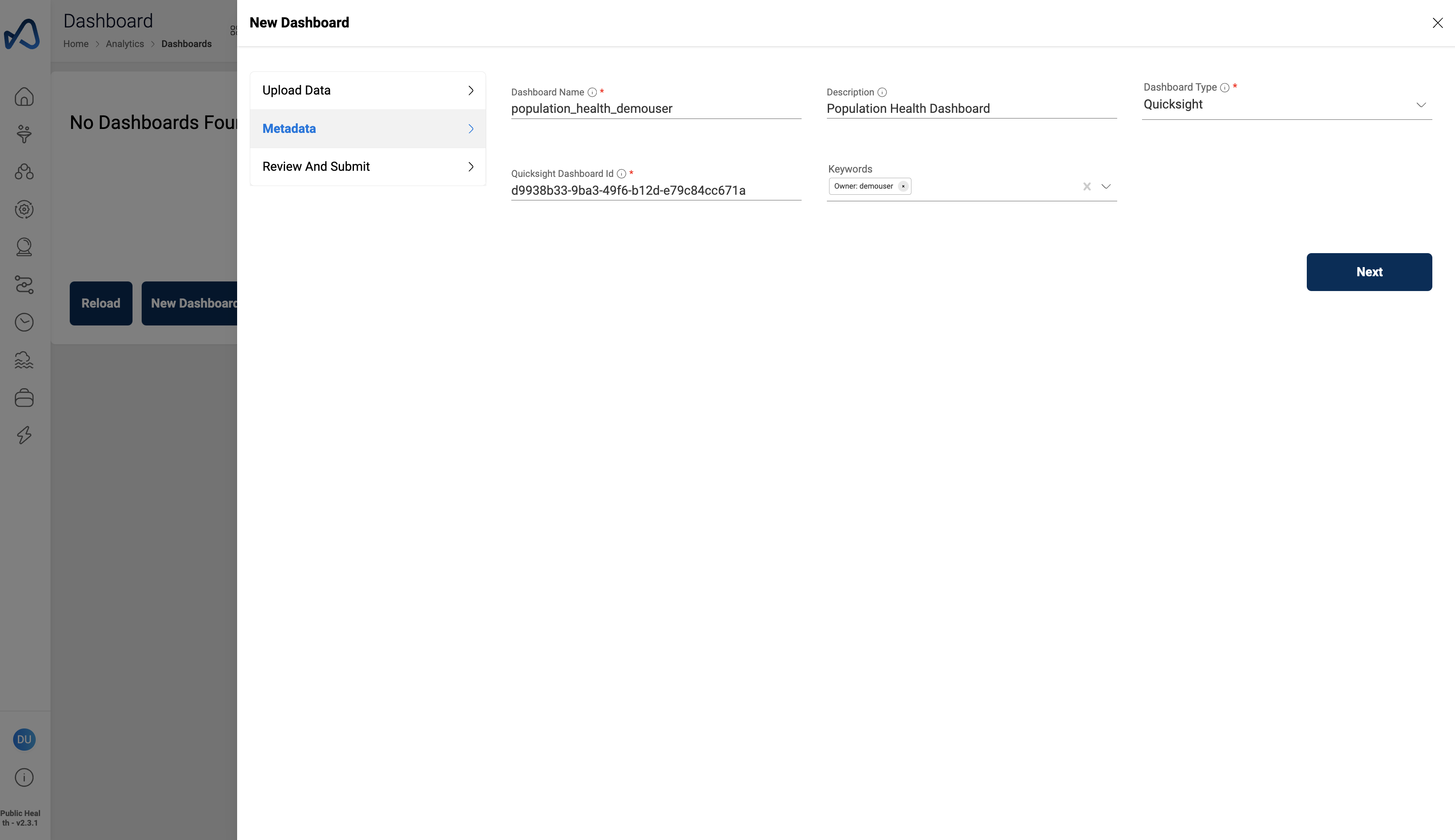
- Provide the details and Click
Next
"Dashboard Name": "population_health_<username>"
"Description": "Population Health Dashboard"
"Dashboard Type": "Quicksight"
"Quicksight Dashboard Id": "d9938b33-9ba3-49f6-b12d-e79c84cc671a"
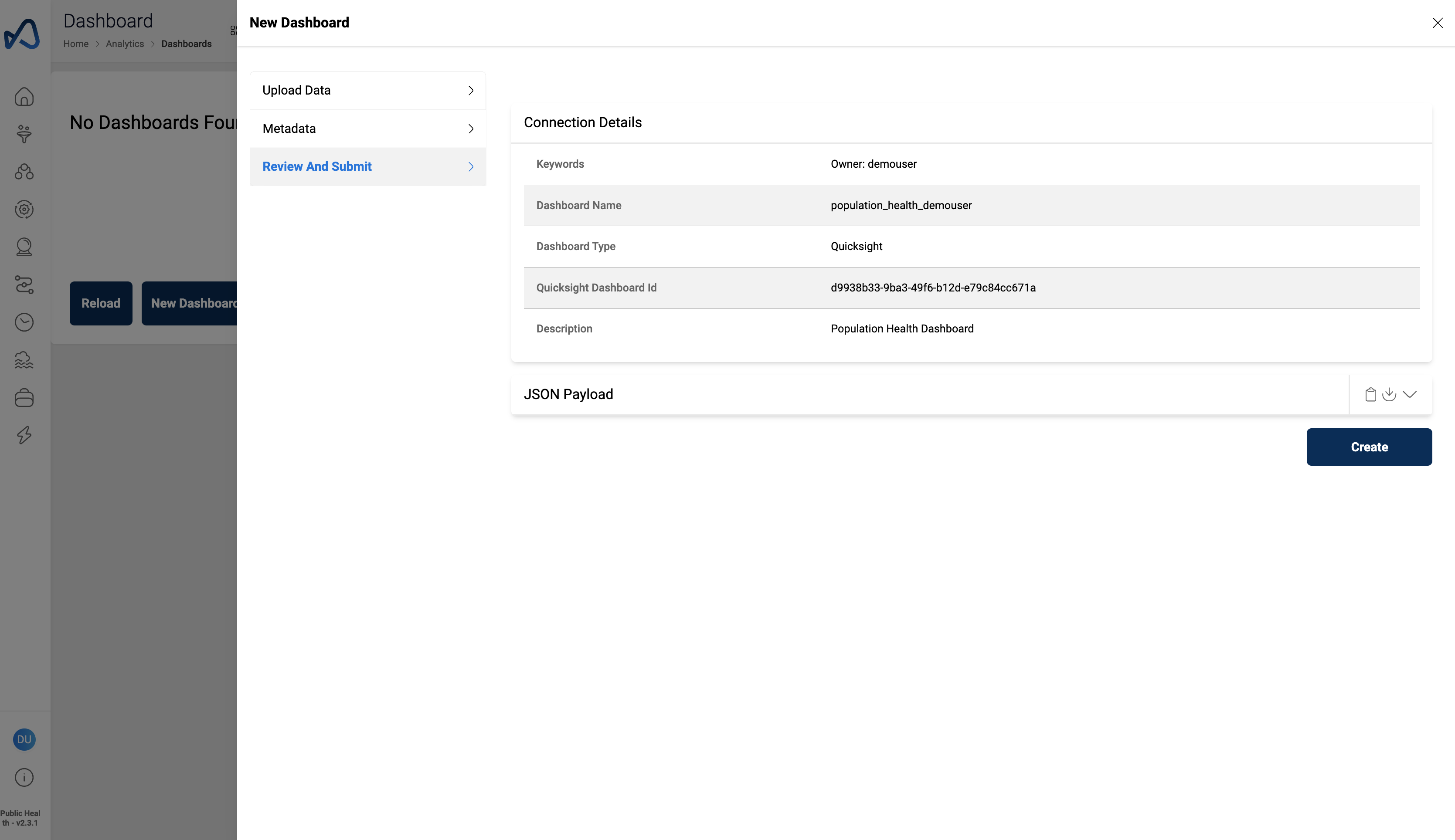
- Review details and Click
Create
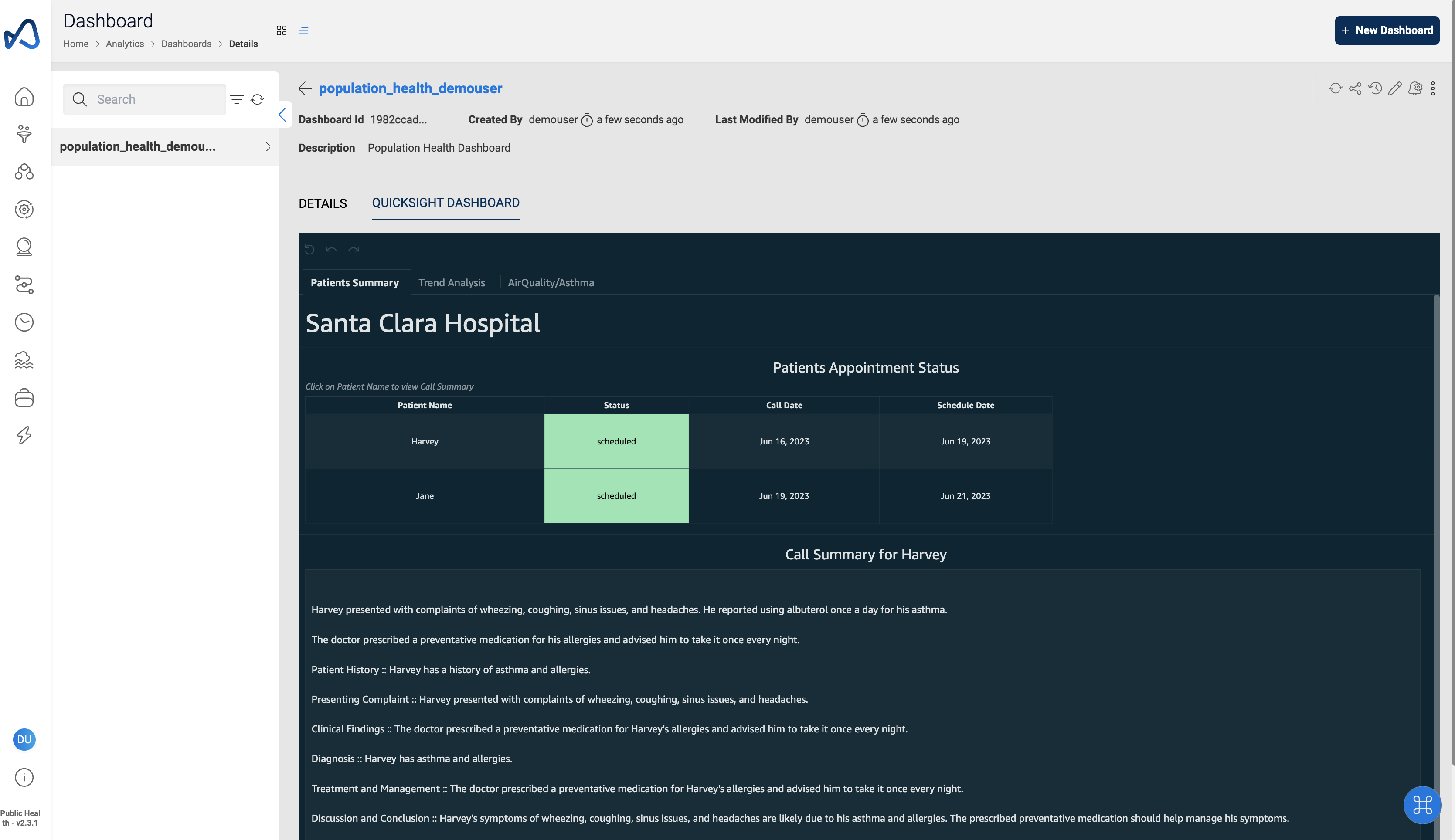
- Click on
Quicksight Dashboardtab to view the dashboard